Ad Blocker Detected
Our website is made possible by displaying online advertisements to our visitors. Please consider supporting us by disabling your ad blocker.
We can charge laptops and smartphones with a portable power station, but effectiveness hinges on output ratings, port types, and real-world efficiency. We’ll examine sustained watts, per-port amperage, and inverter losses, then compare typical laptop and phone needs. Our goal is to map scenarios, identify gaps, and determine if a given unit fits your gear and usage pattern. There’s more to consider before you decide, and we’ll connect the dots next.
Key Takeaways
- Yes, most portable power stations can charge laptops and smartphones via USB-C PD, AC outlets, or DC car/USB adapters, depending on per-port wattage.
- Check total and per-port wattage: laptops require 60–140 W (or higher) via PD, while smartphones typically need 18–65 W or less.
- Account for inverter efficiency and battery SOC: real output may be lower than nominal, affecting charge times.
- Verify port variety and protections (PD, QC, regulated outlets) to ensure device compatibility and safety.
- Plan usage with realistic workloads and margins, considering peak vs. continuous power and cooling during charging.
Can a Portable Power Station Power Laptops and Phones?
Yes. We can power laptops and phones from a portable power station by matching output specifications to device requirements. We evaluate charging scenarios to ensure safe, reliable operation: AC outlets handle most laptops at typical wattages, while USB-C PD ports support fast charging for phones and some laptops. We prioritize surge tolerance, continuous current, and voltage stability to prevent browning out or shutdowns during peak loads. Efficiency matters; we compare inverter efficiency, battery chemistry, and regulator losses to estimate real-world performance. We follow a method: verify wattage, confirm connector type, and assess runtime under representative loads. Energy efficiency considerations influence whether a given model sustains longer sessions on modest grids or when running multiple devices. In practice, select configurations that minimize heat and maximize sustained output.
What to Look For Before You Buy: Ports, Watts, and Charging Needs
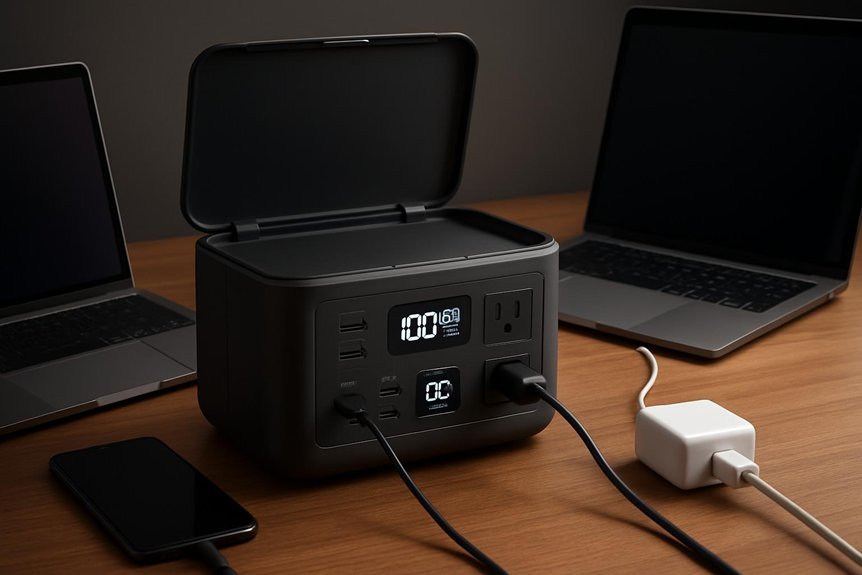
We start by evaluating ports and power needs to ensure compatibility with your devices. We’ll compare wattage, charging speed, and simultaneous port availability to prevent bottlenecks. By clarifying charging compatibility and connector types, we can tailor a portable power station to match your laptops and smartphones without wasted capacity.
Ports And Power Needs
Across portable power stations, the key decision hinges on ports, watts, and charging needs: you should map device requirements to what the unit offers, ensuring compatible voltages, current ratings, and connector types while avoiding undersized or overbuilt solutions. We evaluate port variety, peak wattage, and charging efficiency to fit a portable battery to our usage profile, whether USB-C, AC, or DC outputs. Matching capabilities prevents bottlenecks and preserves device health. Our approach balances device compatibility with weight and runtime, selecting interfaces that support fast, reliable recharging without overheating or voltage drop.
| Column A | Column B |
|---|---|
| USB-C, PD, AC/USB-C fast charging | 12V–240V, high surge tolerance |
| USB-A, QC, DC barrel | 5V–20V, stable current |
Wattage And Charging Compatibility
When sizing a portable power station, wattage and charging compatibility determine what it can sustain under real use. We assess continuous output, peak bursts, and input limits to match our devices’ needs without overtaxing the battery. In practice, this means prioritizing clean power delivery and understanding device-specific requirements for USB-C PD, Quick Charge, and AC outlets. We evaluate overall system efficiency and the impact of port selection on runtime, recognizing that portable efficiency hinges on both the pack and its management electronics. Our goal is consistent performance with minimal heat and ripple, while maintaining charging etiquette for safe operation and longevity.
- Verify total wattage limits and per-port amperage for laptops and phones
- Match charging standards (PD, QC) to device expectations
- Consider surge tolerance and cooling when drawing high loads
How Portable Power Stations Deliver Power and What “W” Really Means
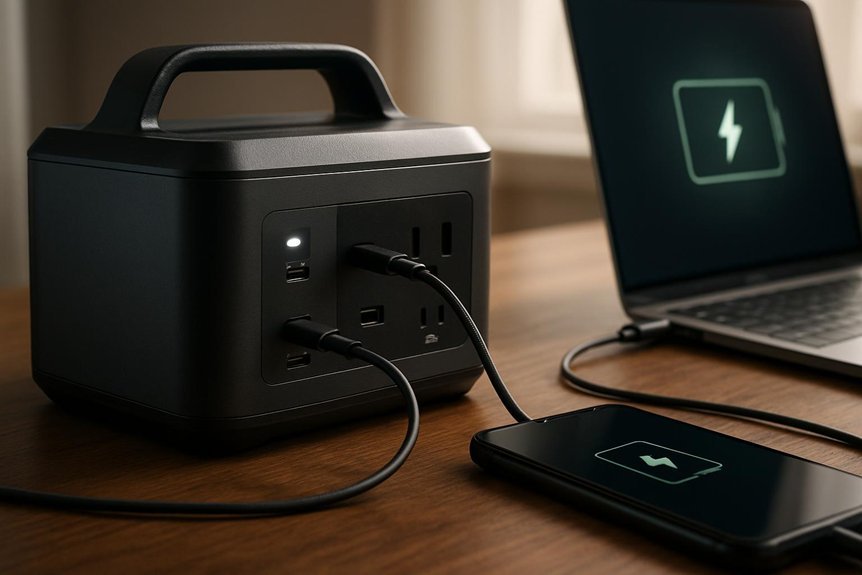
We’ll outline how portable power stations deliver energy, starting with what the “W” in watts represents and how it ties to real-world performance. We’ll explain power conversion basics and why wattage, voltage, and current matter for laptops and phones. This framework lets us analyze efficiency, capacity, and how to match your devices to a station’s output.
What “W” Stands For
What does the “W” really mean when talking about portable power stations, and how does it translate into real-world performance? We break it down into watts as a power-rate metric that governs how quickly devices draw energy and how long a pack can sustain loads. Our focus isn’t just raw numbers; it’s how those watts map to usable output, system efficiency, and charging compatibility. We assess how peak versus continuous ratings affect laptop charging, phone tops, and accessory loads, and what to expect under real-use conditions.
- Understanding nominal vs. peak wattage for devices
- How port layouts and inverter stages affect portable efficiency
- Matching power station output to charging compatibility and rate limits
Power Conversion Basics
Power conversion is the bridge between stored energy and usable output, and understanding it clarifies what those watts actually do. We describe how DC battery voltage becomes AC or DC at the outlet, via conversions, regulators, and protection circuitry. In practice, we measure efficiency, voltage sag, and peak vs. continuous current to predict real-world performance. We consider inverter topology, switching frequency, and thermal limits that constrain long-term operation. We address lifecycle myths by separating nominal ratings from sustained capability, noting how temperature, depth of discharge, and load affect usable energy. Port variety matters because different devices demand distinct connector standards and protections. Our look emphasizes accurate spec interpretation, verified outputs, and safe usage across laptops and smartphones, ensuring readers distinguish marketing claims from engineering reality.
Match Your Gear: Realistic Scenarios for Laptops and Smartphones
Ever wonder how a portable power station fits real work with real devices? We match gear to expected loads, forecast runtimes, and assess margins under practical conditions. Our approach is systematic: we quantify laptop power profiles, smartphone charging patterns, and peak draw during bursts, then align it with available capacity and inverter efficiency. This framing helps avoid unrelated topics and off topic discussions that derail planning. We emphasize concrete workflows and measurable outcomes over vague assurances.
- Align laptop CPU load with 60–140 W, plus peripheral usage
- Schedule smartphone charging in staged bursts to extend runtime
- Factor inverter efficiency and battery SOC thresholds into daily plans
Debunking Myths: Battery Longevity, Ports, and Fast Charging
Battery longevity, ports, and fast charging aren’t vague tradeoffs; they’re measurable variables we can validate against real-world use. We examine battery myths and charging myths with data-driven rigor, distinguishing electrochemical limits from marketing claims. By testing temperature, cycle count, and voltage headroom, we quantify true longevity under typical portable power station usage. Ports vary by standard (USB-C, USB-A, DC) and power profile; performance hinges on sag, ripple, and protection circuitry rather than slogans. Fast charging exhibits tradeoffs between heat and cycle life, yet modern chemistries mitigate impact when governed by proper current, voltage, and cooling. The table below summarizes key metrics to track.
| Metric | Realistic Range | Implications |
|---|---|---|
| Cycle life | 300–1,000 | Longevity planning |
| Temp rise | 5–15°C | Thermal safety |
| Throughput | 18–100 W | Charging efficiency |
Practical Tips to Pick the Right Power Station for You
How do you choose the right portable power station without overpaying or underdelivering? We approach selection analytically, aligning specs with our typical load, budget, and use case. We compare capacity, output, efficiency, and port variety, then map these to real scenarios. Avoid overclaiming, confirm duty cycles, and examine thermal behavior under load. We also acknowledge an unrelated topic and a random tangent to remind us that context matters beyond technical specs.
- Assess peak vs. continuous power for devices
- Match battery chemistry and inverter efficiency to usage
- Factor warranty, support, and future expandability
Longevity and Care: Troubleshooting and Best Practices
Longevity and care are essential for consistent performance and cost efficiency in portable power stations. Our approach emphasizes structured maintenance, proactive monitoring, and documented procedures. We begin with battery health: avoid deep discharges, bias charging cycles toward manufacturer recommendations, and store at partial charge in cool environments. Regular calibration of readouts helps ensure accuracy for remaining capacity and runtime estimates. For troubleshooting best practices, start with error codes, verify connections, and test with known-good devices to isolate faults. Keep firmware updated to benefit from efficiency and safety fixes. Temperature management is critical; ensure proper ventilation during use and recharge, and inspect vents for blockage. Adhere to labeling and storage guidelines, and perform periodic functional tests to validate performance over time. longevity care, troubleshooting best practices.
Frequently Asked Questions
Can a Power Station Recharge Itself While Charging Other Devices?
We can’t self-charge while actively charging other devices; power stations limit self charging, and efficiency drops. We assess self charging limits and device compatibility, ensuring safe operation, monitoring input/output, and avoiding overloads during concurrent charging scenarios for users.
Do Laptops Require Specific Charger Types From Power Stations?
Yes, laptops require compatible chargers from power stations. In our case study, a 65W USB-C PD laptop charges reliably when the station matches charging standards and laptop compatibility. We recommend verifying voltage, wattage, and USB-C PD support.
How Do Power Stations Handle Gpu-Intensive Laptop Tasks?
We handle GPU-intensive laptop tasks by prioritizing sustained power delivery, balancing cooling, and maximizing gpu performance within output limits while monitoring efficiency; our power stations optimize charging efficiency and throttling to maintain stable GPU-heavy workloads.
Are There Safety Limits on Charging Multiple Devices Simultaneously?
Yes, there are charging safety limits when charging multiple devices simultaneously. We, in disciplined terms, balance currents like a careful orchestra, analyzing device compatibility and load, ensuring safe thresholds while allegorically guiding you through charging safety and device compatibility.
Can a Power Station Charge USB-C Phones Faster Than Wall Adapters?
We can charge USB-C phones faster with a power station that supports USB-C PD, delivering higher wattage than typical wall adapters, but charging laptops via USB-C PD varies by device; ensure correct PD profile, amperage, and power station capacity.
Conclusion
We’ll get straight to the point: yes, portable power stations can charge laptops and smartphones, but only if you pick the right wattage, ports, and cooling. If your device wants 90 W via USB-C PD, don’t bet on a 60 W unit. We mock the hype and measure by real numbers—continuous vs. peak, efficiency losses, and aging. So, choose a station with adequate sustained output, proper PD/QC ports, and sensible heat management, and your devices won’t become dramatic power-sinks in a suspension of disbelief.